
Fully Customisable Spaces
Cosmos creates virtual spaces that reflect how your group naturally works and expresses itself - whether you're a playful startup, a professional client-facing team, or an interactive classroom. Cosmos lets you build spaces that match exactly how your group works, with our new Space Builder that puts you in complete control—no design experience required.
Access Space Builder from your space dropdown to design layouts from scratch or edit template spaces. Publish changes instantly—your team sees updates immediately without refreshing.
How to Create a Floor Plan
Two ways to create your ideal digital space:
- Template Library
- 20 pre-designed spaces for different team sizes (20-150 people)
- Choose between minimal professional or vibrant 2.5D styles
- Ready-made layouts for remote teams, live classes, and community events
.png&w=3840&q=75)
- Custom Space Builder
- Intuitive drag-and-drop interface accessible from space dropdown menu
- Start from a template or build from scratch — your choice of minimal (clean and professional) or vibrant (colourful 2.5D) style, no design skills needed
- 1-click publishing with instant updates for all users
- Visual editor with organised toolbar and contextual property panels
- Library of 1000+ assets: furniture, decorations, plants, lighting, textures
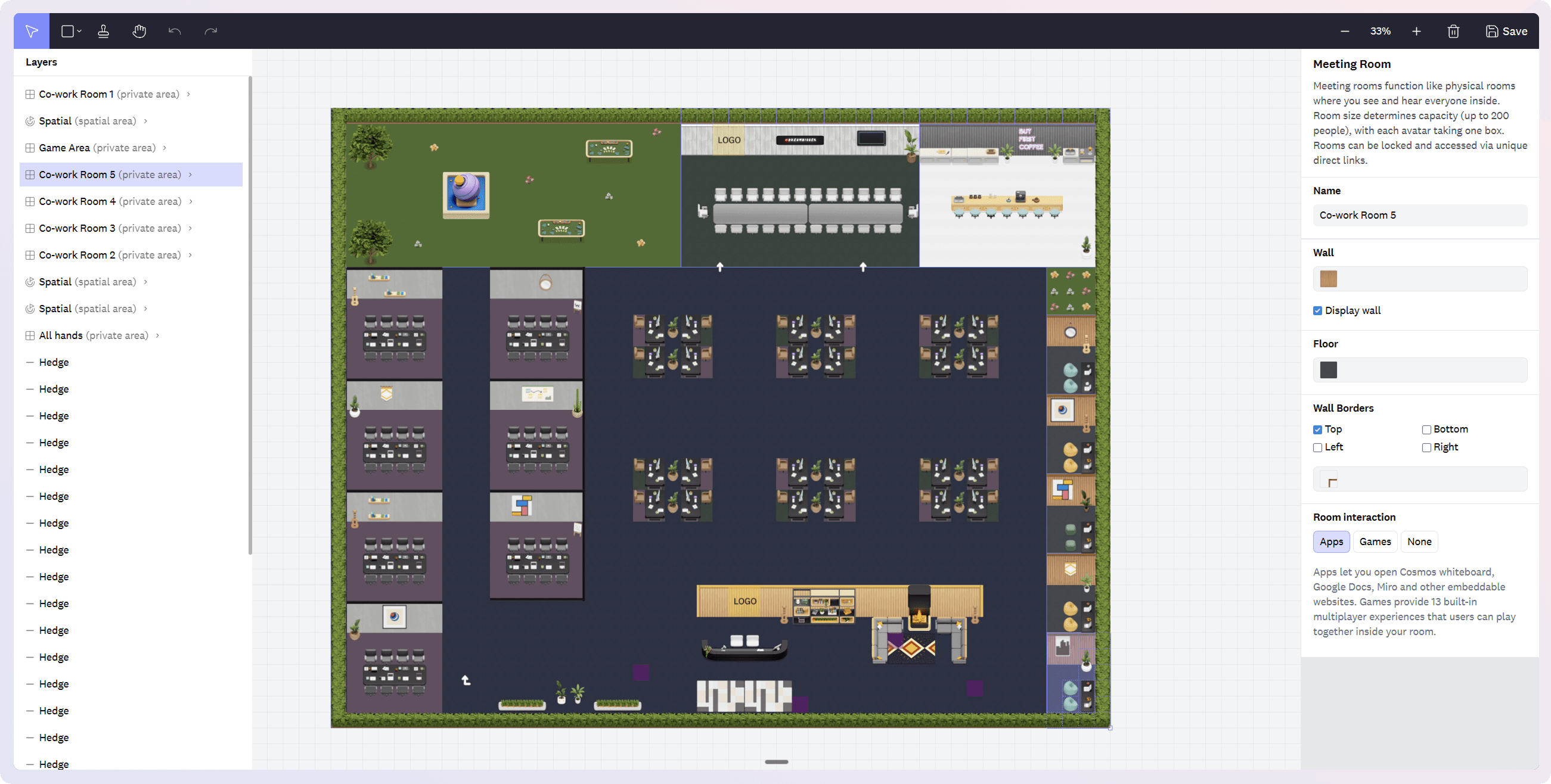
Space Components
- Five room types to mix and match — Spatial Areas (proximity-based chat), Meeting Rooms (everyone connected), Personal Rooms (your team's desks), Focus Rooms (silent co-working), and Game Rooms (multiplayer games on entry). Name them after the people and projects that actually live there.
- Enable embedded apps in any room—Google Docs, Figma, Miro, games
- Customisable walls, floors, and layouts
- Add logos, images, and text anywhere
Space Personalisation Make the space yours:
- Add logos, images, and text anywhere
- Design your own desk with personalised elements
- Create memorable custom URLs for easy access
- Design landing pages with working hours and descriptions
- Choose avatar styles matching your culture
Why it matters
- Natural workflows – Position teams based on collaboration patterns. Design reflects how you actually work
- Express identity – Show your culture through design. Make remote spaces feel like home
- Easy navigation – Visual zones and right-sized layouts help people find each other quickly
- Professional presence – Client-facing spaces that reflect your brand quality
Pro Tips
- Start with templates – Choose one matching your size, then customise. Faster than building from scratch
- Create visual zones – Use different floor textures and colours to define areas intuitively
- Position strategically – Place frequently collaborating teams near each other in spatial areas
- Enable room apps – Add collaborative tools like Miro, Figma, Google Docs to meeting rooms where you'll use them most