Google Meet caps free calls at 60 minutes and has no desktop app — every call runs in a browser tab. Recording requires Business Standard at $16.80/user/month. Cosmos has no time limits, a native app, and concurrent pricing from $8.80.
No time limits · 14-day free trial
Trusted by 10k+ users globally to host 1M+ hours of HD calls monthly
No time limits, a native desktop app, transparent privacy, and pricing that makes sense. Here's how Cosmos compares.

The Google Meet time limit — 60 minutes, then disconnect
Free group calls cut off at 60 minutes — a chime at 55, a hard disconnect at 60. Everyone scrambles to rejoin. Removing the limit requires Google Workspace, starting at $8.40/user/month. Cosmos has no time limits on any plan, including free.
No native app — everything runs in a browser tab
Google Meet has no desktop application. Every call runs inside Chrome, competing for resources with every other open tab. Meet uses 16% CPU and 964 MB RAM. Cosmos uses 6% CPU and 485 MB RAM — running as a native app with dedicated system resources.

Gemini AI bundled into every plan — no opt-out
In January 2025, Google bundled Gemini AI into all Workspace subscriptions and raised prices by 17%. Gemini processes your emails, documents, and meeting content. A class-action lawsuit alleges Google activated Gemini without consent. Cosmos never trains AI on your data.

Google Meet pricing: you pay for the full suite
Recording and breakout rooms require Business Standard at $16.80/user/month. Every person on your team needs a licence. Cosmos charges $8.80/concurrent user — only the people in your office at the same time.
Side-by-side comparison of features, performance, and pricing.
 | .png&w=384&q=75) | |
|---|---|---|
| GPU usage (5-person call) | 9.8% | 2.2% (4.5× less) |
| CPU usage (5-person call) | 16.0% | 6.0% (63% less) |
| Memory usage | 963.8 MB | 485.3 MB (50% less) |
| Screen share resolution | 1080p (1920×1080) | 3K (2880×1620) |
| Screen share modes | Only one | 3 modes — low bandwidth, text reading & video watching |
| Pricing model | Per registered user | Per concurrent user |
| Monthly price (with recording) | $16.80/user | $8.80/concurrent user |
| Room types | 1 (standard meeting) | 5 types (meeting, focus, spatial, personal, games) |
| Breakout rooms | Paid only | All plans |
| AI training on your data | Gemini bundled, no opt-out | Never |
| Recording storage | Split across Drive, Docs, Calendar | Everything on one page |
| Free plan time limit | 60 minutes | No limit |
| Free plan recording + AI | Paid only ($16.80/user/mo) | Included (7-day storage) |
| Native desktop app | Browser only (PWA) | Native app (Mac + Windows) |
| Private messaging in calls | All chat visible to everyone | DM any participant |
| YouTube watch party | Not available | Built-in, native |
| HD video | ||
| Mobile app | ||
| Calendar integration | ||
| Embedded apps | Paste link → opens instantly | |
| Built-in games | ||
| Multiple simultaneous calls | ||
| Virtual office / persistent space | ||
| Walk-up conversations |
| | |
|---|---|---|
| GPU usage | 9.8% | 2.2% |
| CPU usage | 16.0% | 6.0% |
| Memory | 964 MB | 485 MB |
| Screen share res. | 1080p | 3K |
| Screen share modes | Only one | 3 modes |
| Pricing model | Per user | Concurrent |
| Price (w/ recording) | $16.80 | $8.80 |
| Room types | 1 | 5 types |
| Breakout rooms | Paid | All plans |
| AI on your data | Gemini | Never |
| Recording storage | Split | One page |
| Free time limit | 60 min | None |
| Free recording + AI | Paid | Included |
| Desktop app | Browser | Native |
| Private DMs in calls | No | Yes |
| YouTube watch party | ||
| HD video | ||
| Mobile app | ||
| Calendar | ||
| Embedded apps | ||
| Built-in games | ||
| Simultaneous calls | ||
| Virtual office | ||
| Walk-up talk |
Google Meet is bundled into Google Workspace. The free plan gives you 60-minute group calls, no recording, no breakout rooms. To unlock recording, you need Business Standard at $16.80/user/month.
Cosmos charges $8.80/concurrent user/month — based on the maximum number of people present in your virtual office at the same time, not your total team size. Most teams never have everyone online at once, so pay for less than half the team.
See detailed pricing| Team size | | |
|---|---|---|
20 people ~10 online | $336/mo | $88/mo |
50 people ~25 online | $840/mo | $220/mo |
100 people ~30 online | $1,680/mo | $264/mo |
All prices based on monthly billing. Cosmos pricing calculated for concurrent users online.
Google Meet is built around calendar invites. Someone books a slot, everyone clicks a link, the call happens, and then everyone scatters. Cosmos is a persistent virtual office where your team stays connected throughout the working day.
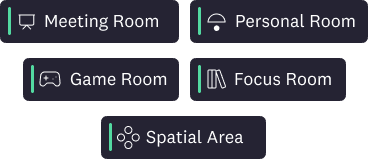
Meeting Rooms for scheduled calls, Focus Rooms for silent co-working, Spatial Areas for open networking, Personal Rooms for instant conversations, and Game Rooms for team socials. Google Meet has one room type — a standard meeting.
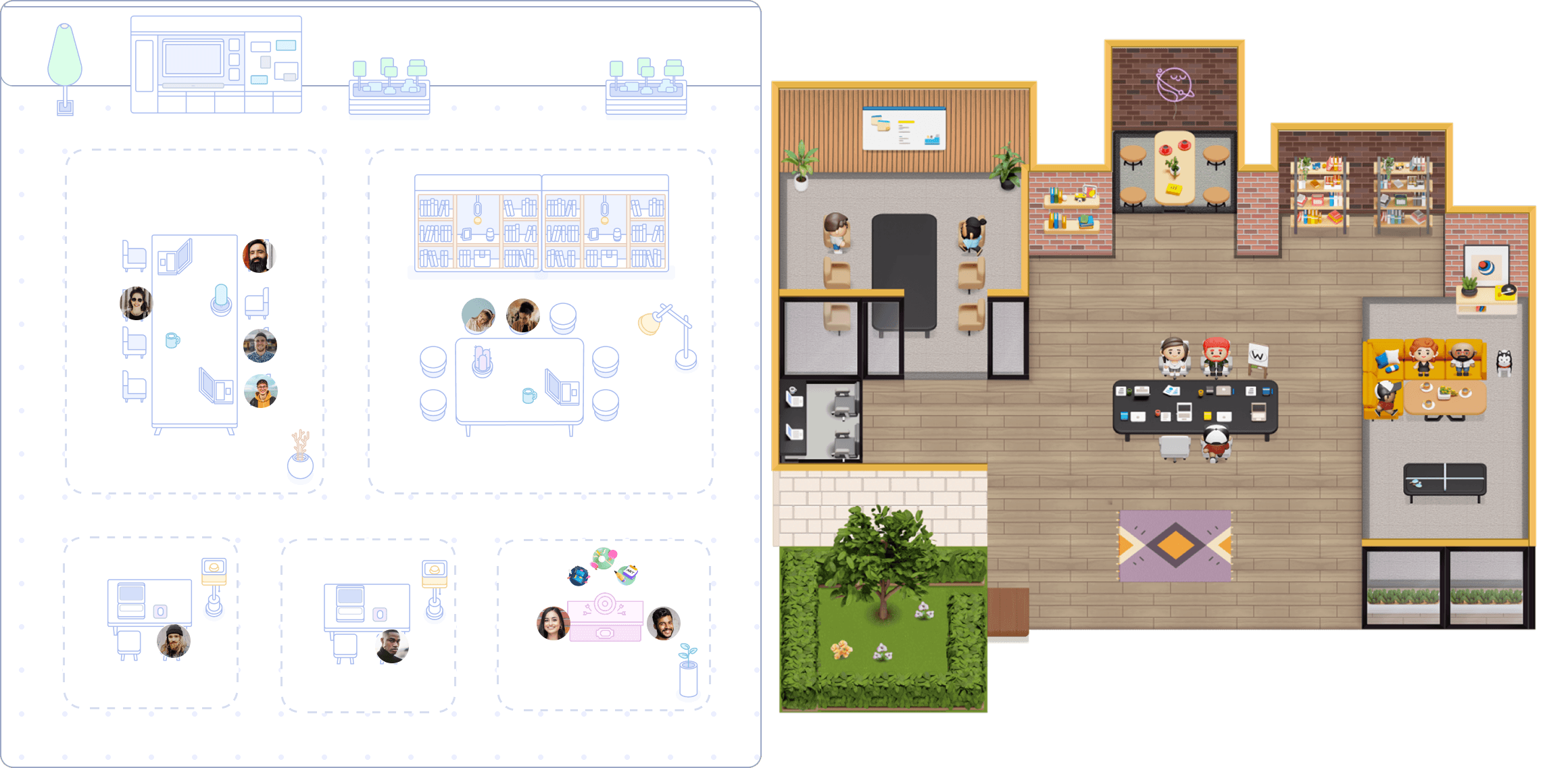
See a colleague in the office? Walk over and the call connects instantly. No calendar invite, no “are you free for a quick call?” on Slack. Conversations happen naturally as you move through your virtual space.

Design your floor plan with Cosmos Space Builder — drag and drop furniture, zones, and decorations. Choose between minimal professional themes and vibrant 2.5D environments. Publish changes instantly without disrupting live calls.

Our team uses Cosmos daily as a complete work-from-home solution that facilitates our daily meetings, review sessions, and weekly all-hands. Cosmos has dramatically enhanced our productivity, culture and engagement. Our employee NPS increased by 20% as a result of using Cosmos. It also helped create a stronger sense of belonging.

Production Manager
My remote team needed help with isolation when using traditional communication tools. New team members struggled to seek support on Slack and felt anxious when waiting for a reply. Everyone being available in our Cosmos creates a sense of community; we go through crunch times together, saving us time compared to back-and-forth messages on Slack. For people who need community, Cosmos is a game changer.
Accounting Manager
Cosmos has transformed our team by streamlining communication, fostering connections, and boosting productivity. With Cosmos, we hold all meetings on a single link, increasing visibility and allowing everyone to contribute. It has made casual conversations and asking questions easier, creating a strong sense of togetherness and enhancing our company culture.
Co-Founder and COO
Yes. Cosmos's free plan includes up to 4 people in calls with no time limit, recording with AI meeting summaries, and 7-day cloud storage. Google Meet's free plan caps group calls at 60 minutes and locks recording behind Business Standard at $16.80/user/month. See the full Google Meet alternative comparison.
On the free plan, group calls last up to 60 minutes before automatic disconnection. Paid Workspace plans remove the limit. On Cosmos, every call is unlimited — free or paid.
Free group calls (3+ participants) are capped at 60 minutes. A chime sounds at 55 minutes, then the call disconnects at 60. Everyone must rejoin through a new link. Cosmos has no time limit on any plan.
Google Meet pricing: Free (60-min limit, no recording), Business Starter $8.40/user/month (no recording), Business Standard $16.80/user/month (recording + breakout rooms), Business Plus $26.40/user/month. All monthly billing. Every user needs a licence. Cosmos is $8.80/concurrent user — you pay for who's online, not your full headcount.
Yes. Cosmos covers every standard meeting feature — HD video, screen sharing, recording, AI summaries, chat, reactions, virtual backgrounds, breakout rooms, and mobile apps. It also includes a persistent virtual office with spatial audio, focus rooms, and team games that Google Meet doesn't offer.
No. Google Meet runs entirely in the browser. The installable PWA is still Chrome underneath — same rendering engine, same resource usage. Cosmos has a native desktop app for Mac and Windows, running as a standalone process independent of your browser.
Calls are encrypted in transit with DTLS-SRTP. The broader concern is US data jurisdiction under the CLOUD Act and Gemini AI processing meeting content. A class-action lawsuit (Thele v. Google, November 2025) alleges Gemini was activated on user accounts without consent. France, Denmark, and Germany have restricted Google products in government and education. Cosmos is SOC 2 Type II certified, GDPR compliant, and does not train AI on your data.
Yes. Cosmos has breakout rooms and 5 dedicated room types — including spatial areas, focus rooms for quiet work, and game rooms for team building. Google Meet locks breakout rooms behind Business Standard ($16.80/user/month).
Yes. Cosmos includes recording and AI transcription on every plan — including free (7-day storage). Google Meet locks recording behind Business Standard ($16.80/user/month). And while Google Meet splits recordings across Drive, Docs, and Calendar, Cosmos puts recording, transcript, summary, and action items on a single page.
The US CLOUD Act allows American authorities to access data stored by US companies regardless of location. The EU's Schrems II ruling found US data protection inadequate under GDPR. France is transitioning 2.5 million civil servants to a sovereign platform. Denmark banned Google Workspace in schools. Germany restricted it across multiple states. Cosmos is GDPR compliant with no US data obligations.
No. All in-call chat messages are visible to every participant. Cosmos supports direct messages to individual participants during a call.
Yes. Cosmos's free plan includes 3K screen sharing (2880×1620) — higher resolution than Google Meet's 1080p — with three optimisation modes. Free plan also includes recording, AI transcription, and no time limits.
Yes. Native iOS and Android apps — plus native desktop apps for Mac and Windows.
“I love that it allows a real-life feel to a virtual experience which fosters a deep sense of connection! It is MORE than what typical video conferencing tools provide - this builds community!”
“My team and I love Cosmos, it's definitely the best way we've found to work remotely, and it's the closest we've felt to being in person. Clicking on someone to start a conversation with them is far more natural than constantly sending Zoom links.”
“I absolutely love the fact that I feel so good to have the possibility to work remotely but have a virtual space to see my colleagues. It's so easy to use, I love it!”
“The ease of joining, interacting, and playing fun games on the map. On Cosmos, you can right away search for your colleague and fly towards them.”
“What stands out most to me about Cosmos Video is its unparalleled versatility and seamless integration of features. The platform effortlessly combines robust video conferencing capabilities with a comprehensive virtual office suite.”
“Great product! It is honestly an interesting way to engage your remote team and give them the feeling of a virtual office without breaking the bank!”



