Zoho Meeting runs on a video codec from 2010. The industry moved to AV1 two generations ago — Zoho stayed on VP8. Cosmos runs on AV1, has no time limits, and includes recording with AI transcription on every plan — including free.
No time limits · 14-day free trial
Trusted by 10k+ users globally to host 1M+ hours of HD calls monthly
A 2010 codec, thousands of outages, nation-state security breaches, and features locked behind paid tiers. Here's what you get when you upgrade.

A video codec from 2010 — and it shows
Zoho Meeting uses VP8, a codec released in 2010. The industry has moved two generations ahead: VP8 → VP9 → AV1. At any given internet speed, VP8 delivers blurrier, more pixelated video. Cosmos runs on AV1, delivering crisper 1080p video at lower bitrates.

76% less CPU, 82% less GPU — and far fewer things that break
In a 5-person video call, Zoho Meeting uses 25.0% CPU and 12.3% GPU. Cosmos uses 6.0% CPU and 2.2% GPU. That is the difference between a laptop that throttles by the second meeting and one that stays responsive all day. Zoho Meeting also shares infrastructure with 55+ other Zoho products — when any part goes down, your meetings go with it.

Chinese state-sponsored attacks through Zoho products
Multiple Chinese government-backed hacking groups have exploited Zoho vulnerabilities. APT27 compromised at least 9 organisations through ManageEngine. The same vulnerability was used to breach the Red Cross, exposing data of 515,000+ people. Cosmos holds SOC 2 Type II certification with zero breaches.

Zoho is cheap — but not reliable
Zoho Professional costs $3/host/month — one of the cheapest video tools on the market. But the low price comes with 720p video on a 2010 codec, 2,655+ tracked outages across Zoho services, screen sharing at 2K and 5 fps, and consistent user complaints about quality. Cosmos charges $8.80/concurrent user/month — you pay more, but you get AV1 video, 3K screen sharing at 30 fps, recording on every plan, and a virtual office your team can actually work in.
Side-by-side comparison of features, performance, and pricing.
 | .png&w=384&q=75) | |
|---|---|---|
| Free plan time limit | 60 minutes | No limit |
| Free plan recording + AI | Paid only | Included (7-day storage) |
| Video codec | VP8 (2010) | AV1 (2018) |
| Video resolution | 720p | 1080p |
| Screen share resolution | 2K (2560×1440) | 3K (2880×1620) |
| Screen share fps | 5 fps | 30 fps (6× smoother) |
| Screen share modes | 1 mode | 3 modes — low bandwidth, text reading & video watching |
| Room types | 2 (meeting + personal) | 5 types (meeting, focus, spatial, personal, games) |
| CPU usage (5-person call) | 25.0% | 6.0% (76% less) |
| GPU usage (5-person call) | 12.3% | 2.2% (82% less) |
| Screen share annotation | Presenter only | All participants |
| Simultaneous screen sharing | One at a time | Multiple presenters |
| Breakout rooms | Professional only ($3/host) | All plans |
| AI transcription | Professional only | All plans |
| Pricing model | Per host | Per concurrent user |
| Monthly price | $3/host (Professional) | $8.80/concurrent user |
| Native desktop app | ||
| Mobile app | ||
| HD video | ||
| Private messaging in calls | ||
| Embedded apps | ||
| YouTube watch party | ||
| Built-in games | ||
| Multiple simultaneous calls | ||
| Virtual office / persistent space | ||
| Walk-up conversations |
| | |
|---|---|---|
| Free time limit | 60 min | None |
| Free recording | Paid | Included |
| Video codec | VP8 (2010) | AV1 |
| Video res. | 720p | 1080p |
| Screen res. | 2K | 3K |
| Screen fps | 5 fps | 30 fps |
| Screen modes | 1 mode | 3 modes |
| Room types | 2 | 5 types |
| CPU usage | 25.0% | 6.0% |
| GPU usage | 12.3% | 2.2% |
| Annotation | Presenter | All |
| Multi screenshare | One | Multiple |
| Breakout rooms | Pro only | All plans |
| AI transcription | Pro only | All plans |
| Pricing model | Per host | Concurrent |
| Price | $3/host | $8.80/user |
| Desktop app | ||
| Mobile app | ||
| HD video | ||
| Private DMs | ||
| Embedded apps | ||
| YouTube party | ||
| Built-in games | ||
| Multi calls | ||
| Virtual office | ||
| Walk-up talk |
Zoho Meeting charges per host — every person who needs to start a meeting requires their own licence. Standard costs $2/host/month, Professional $3/host/month.
Cosmos charges $8.80/concurrent user/month. Cosmos costs more than Zoho. But the price includes AV1 video, 3K screen sharing, recording on every plan, and a persistent virtual office — none of which Zoho offers at any tier.
See detailed pricing| Team size | | |
|---|---|---|
10 people ~4 hosts | $12/mo | $35/mo |
20 people ~8 hosts | $24/mo | $88/mo |
50 people ~15 hosts | $45/mo | $220/mo |
Zoho prices at Professional tier ($3/host). Cosmos pricing calculated for concurrent online users.
Zoho tries to solve team communication with 55+ separate apps. Your team bounces between tabs with no shared presence. Cosmos puts everyone in one persistent virtual office.
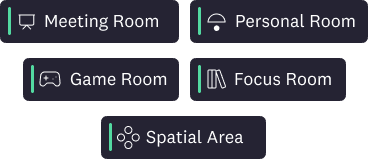
Meeting Rooms for scheduled calls, Focus Rooms for silent co-working, Spatial Areas for open networking, Personal Rooms for instant conversations, and Game Rooms for team socials. Zoho Meeting has two room types — a standard meeting and a personal room.
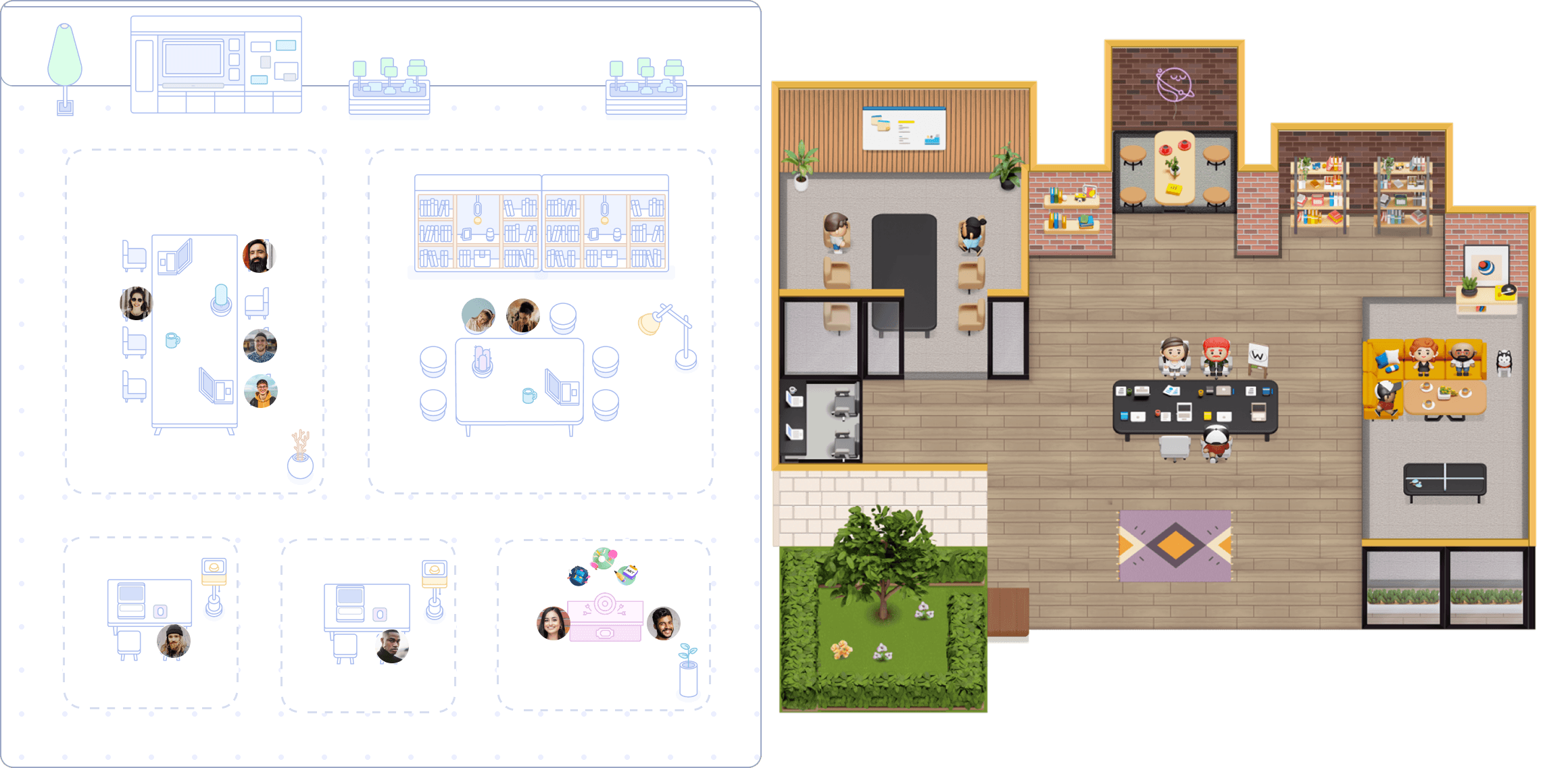
See a colleague in the office? Walk over and the call connects instantly. Walk away and it ends. No calendar invite, no Slack message, no scheduling overhead. Conversations happen naturally as you move through your virtual space.

Design your floor plan with Cosmos Space Builder — drag and drop furniture, zones, and decorations. Choose between minimal professional themes and vibrant 2.5D environments. Publish changes instantly without disrupting live calls.

Our team uses Cosmos daily as a complete work-from-home solution that facilitates our daily meetings, review sessions, and weekly all-hands. Cosmos has dramatically enhanced our productivity, culture and engagement. Our employee NPS increased by 20% as a result of using Cosmos. It also helped create a stronger sense of belonging.

Production Manager
My remote team needed help with isolation when using traditional communication tools. New team members struggled to seek support on Slack and felt anxious when waiting for a reply. Everyone being available in our Cosmos creates a sense of community; we go through crunch times together, saving us time compared to back-and-forth messages on Slack. For people who need community, Cosmos is a game changer.
Accounting Manager
Cosmos has transformed our team by streamlining communication, fostering connections, and boosting productivity. With Cosmos, we hold all meetings on a single link, increasing visibility and allowing everyone to contribute. It has made casual conversations and asking questions easier, creating a strong sense of togetherness and enhancing our company culture.
Co-Founder and COO
Yes. Cosmos's free plan includes up to 4 people in calls with no time limit, recording with AI meeting summaries, and 7-day cloud storage. The Zoho Meeting free plan caps group calls at 60 minutes, has no recording, and no breakout rooms. See the full Zoho Meeting alternative comparison.
Zoho Meeting is an online meeting and webinar tool built by Zoho Corporation. It offers basic video call capabilities including screen sharing, group chat, and calendar integration. Recording requires a paid plan and AI transcription requires the Professional tier. The Zoho Meeting app is available on desktop and mobile, though the desktop app has documented reliability issues.
Zoho Meeting uses DTLS-SRTP encryption in transit and AES-256 at rest. However, Zoho Corporation's ManageEngine products have been exploited by Chinese state-sponsored hackers —APT27, Volt Typhoon, and APT41 — including a breach of the Red Cross that compromised data of 515,000+ people. Cosmos holds SOC 2 Type II certification and has zero security breaches on record.
Zoho Meeting pricing: Free ($0, 60-minute limit, no recording), Standard $2/host/month (5 GB recording, no breakout rooms), Professional $3/host/month (breakout rooms, transcription, E2E encryption). Every host needs a separate licence. Cosmos is $8.80/concurrent user/month with recording and AI on every plan.
Yes. The Zoho Meeting free plan has a 60-minute time limit on group calls. Paid plans (Standard and Professional) remove the limit. Cosmos has no time limit on any plan — free or paid, unlimited duration.
Zoho Meeting recording is not available on the free plan. Standard includes recording with 5 GB storage per host. AI transcription is only on Professional. Cosmos includes recording with AI summaries, transcripts, and clickable timestamps on all plans — including the free tier with 7-day cloud retention.
Zoho Meeting runs on the VP8 video codec from 2010. The industry has moved two generations ahead to AV1. VP8 produces lower quality video at the same bitrate, which explains the consistent complaints about blurry video, pixelation, and choppy performance. Cosmos runs on AV1, delivering crisper 1080p video at lower bandwidth.
For teams looking for Zoho alternatives for video conferencing, Cosmos offers a modern AV1 codec, 3K screen sharing at 30 fps, concurrent pricing, recording on all plans, and a persistent virtual office. The free plan covers video calls, recording, and AI summaries with no time limit — none of which Zoho's free plan includes.
The Zoho Meeting free plan includes video calls for up to 100 participants with a 60-minute group call limit, screen sharing, in-call chat, and reactions. It does not include recording, breakout rooms, transcription, or annotation. Cosmos's free plan includes all of those plus AI summaries and 7-day cloud storage.
Yes. Cosmos has breakout rooms on all plans and 5 dedicated room types — meeting rooms, focus rooms, spatial areas, personal rooms, and game rooms. Zoho Meeting restricts breakout rooms to the Professional plan.
Yes. Cosmos covers every standard meeting feature — HD video, screen sharing, recording, AI summaries, chat, reactions, breakout rooms, calendar integration, and mobile apps. It runs on a modern AV1 codec instead of VP8, uses 76% less CPU, and adds a persistent virtual office with spatial audio, walk-up conversations, and embedded apps that Zoho Meeting does not offer at any tier.
Yes, but with limitations. Zoho Meeting screen sharing supports up to 2K resolution at just 5 fps — effectively a slideshow. Only one person can share at a time, and only the presenter can annotate. Cosmos supports 3K (2880×1620) at 30 fps, multiple simultaneous screen shares, and participant annotation in three optimisation modes.
In a Zoho Meeting vs Zoom comparison, Zoom has better video quality and a more reliable native app, but charges $16.99/user/month for Pro. Zoho is cheaper but runs on a 2010 codec. Cosmos outperforms both: AV1 codec, 3K screen sharing, concurrent pricing from $8.80, and a persistent virtual workspace that neither offers.
Yes. Native iOS and Android apps — plus native desktop apps for Mac and Windows.
“I love that it allows a real-life feel to a virtual experience which fosters a deep sense of connection! It is MORE than what typical video conferencing tools provide - this builds community!”
“I absolutely love the fact that I feel so good to have the possibility to work remotely but have a virtual space to see my colleagues. It's so easy to use, I love it!”
“My team and I love Cosmos, it's definitely the best way we've found to work remotely, and it's the closest we've felt to being in person. Clicking on someone to start a conversation with them is far more natural than constantly sending Zoom links.”
“What stands out most to me about Cosmos Video is its unparalleled versatility and seamless integration of features. The platform effortlessly combines robust video conferencing capabilities with a comprehensive virtual office suite.”
“The ease of joining, interacting, and playing fun games on the map. On Cosmos, you can right away search for your colleague and fly towards them.”
“Great product! It is honestly an interesting way to engage your remote team and give them the feeling of a virtual office without breaking the bank!”



