IdeasRequest a feature on our public board 💡

What's new in Cosmos Video

A running log of product updates and release notes — every new feature, performance improvement and fix we've shipped across Cosmos, the virtual office and video meeting platform for remote teams.

November 11, 2022

Introducing direct messages and channels

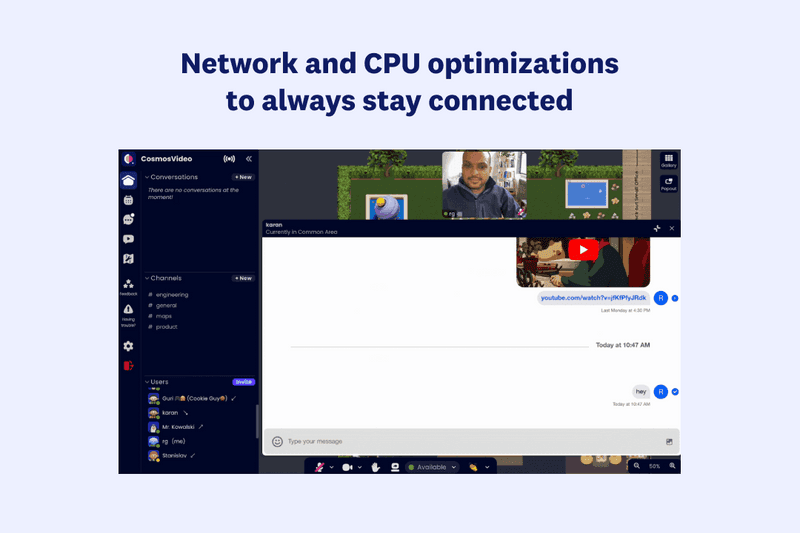
Cosmos Video direct messages and public channels shown inside Cosmos HQ with a shared screen

Direct messages

Now you can send a message to your colleagues directly within Cosmos. Just click on your Cosmos colleague's name in the sidebar on the left.

Channels

We have introduced Channels — dedicated spaces for your text conversations. Channels can bring clarity and organisation to your communication; you can create them for any project, topic or team. With all the information in one place, you can share ideas, make decisions and move forward.

You can create a new channel by clicking +New in the Channels section in the sidebar.

August 3, 2022

Schedule a meeting in Cosmos from Google Calendar

Introducing Cosmos integration with Google Calendar.

Meeting organisers

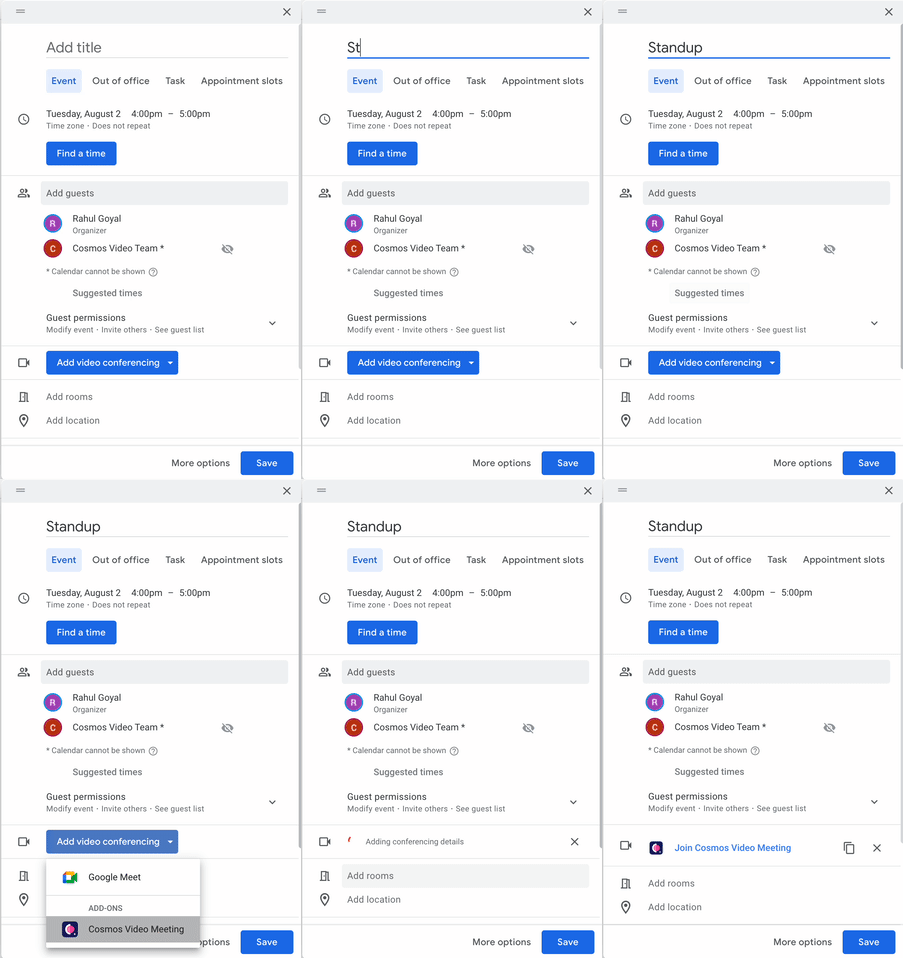
Can easily schedule a meeting in Cosmos from Google Calendar. Set up Cosmos as the default video-calling option for all meetings.

Scheduling a Cosmos Video meeting from Google Calendar with Cosmos Video Team added as a guest

Users in Cosmos office

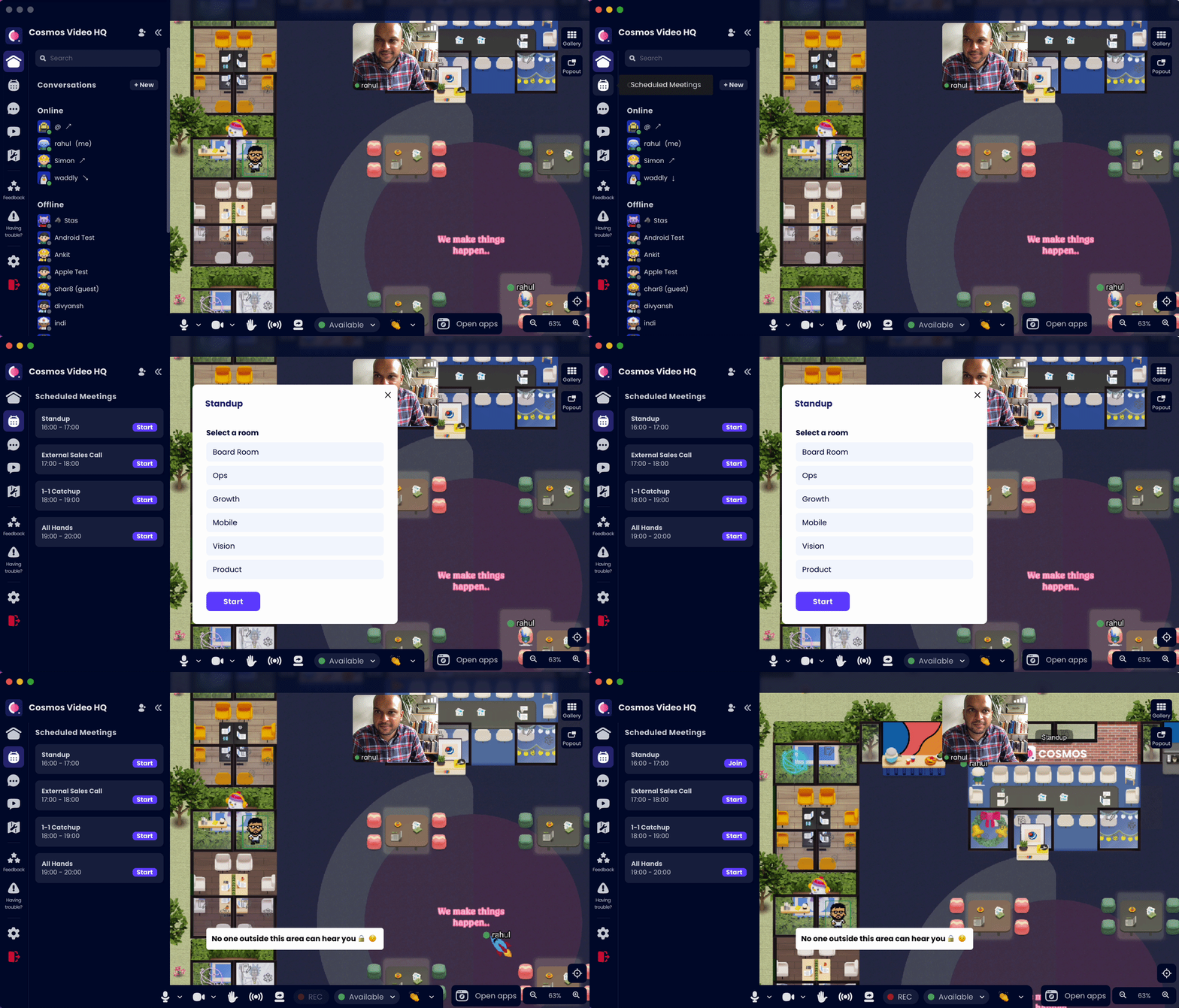
All the meetings scheduled for the day show up in the sidebar. You can press "Start" and select which room the meeting should start in.

Cosmos Video office sidebar listing upcoming scheduled meetings from Google Calendar

Joining the meeting using a calendar link

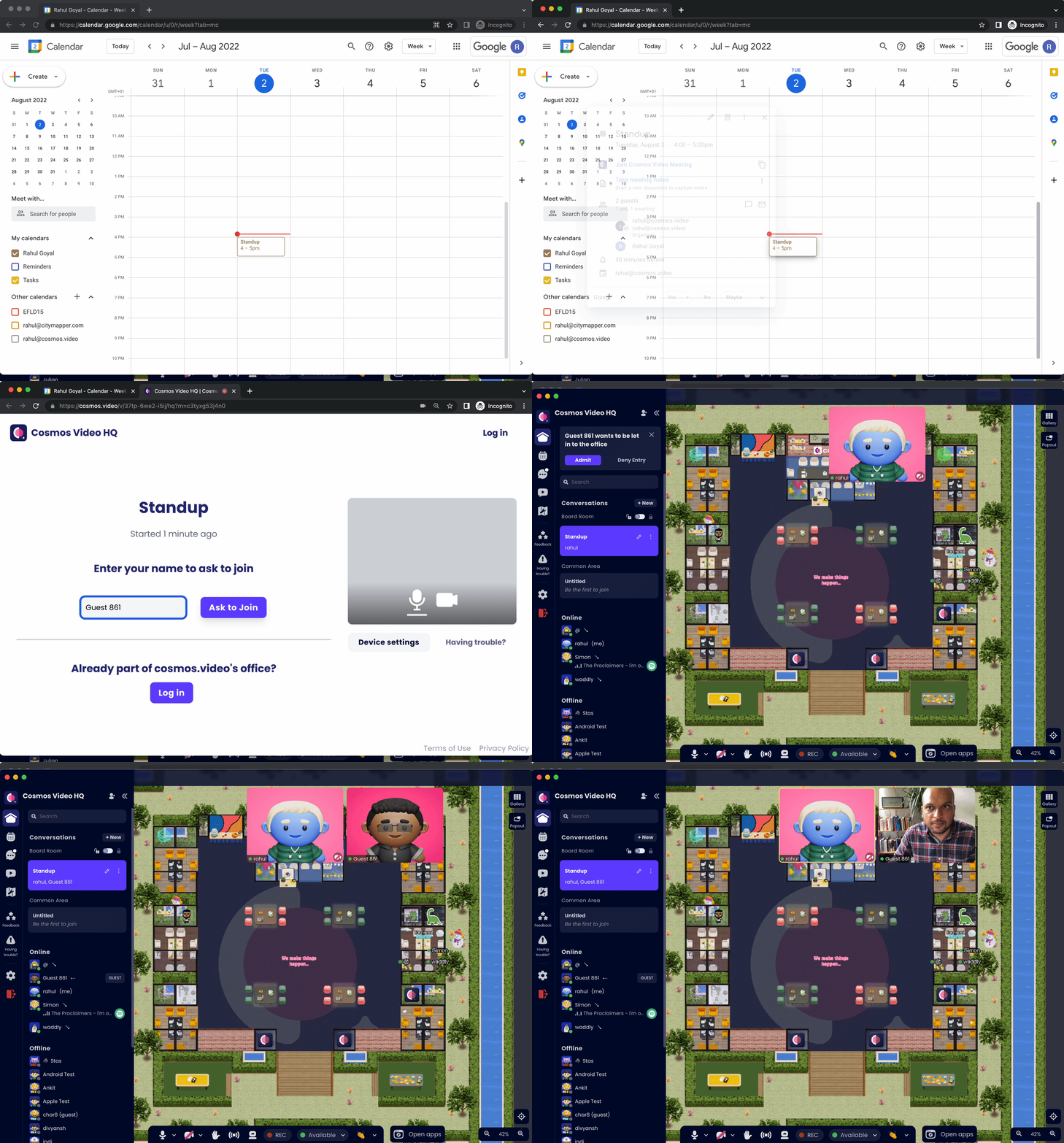
Users using the link will come to the same meeting room selected by the person inside the office. If no one is in the office, a room will be allocated randomly for the meeting.

Joining a Cosmos Video meeting directly from a shared Google Calendar link

How to set it up

You can install it from the Google Calendar tab in the ⚙️ Settings of your Cosmos office, or use the link below.

Install Cosmos for Google Calendar · Change default office for Google Calendar

March 11, 2022

Express yourself on Cosmos

🐶 Adopt an office pet

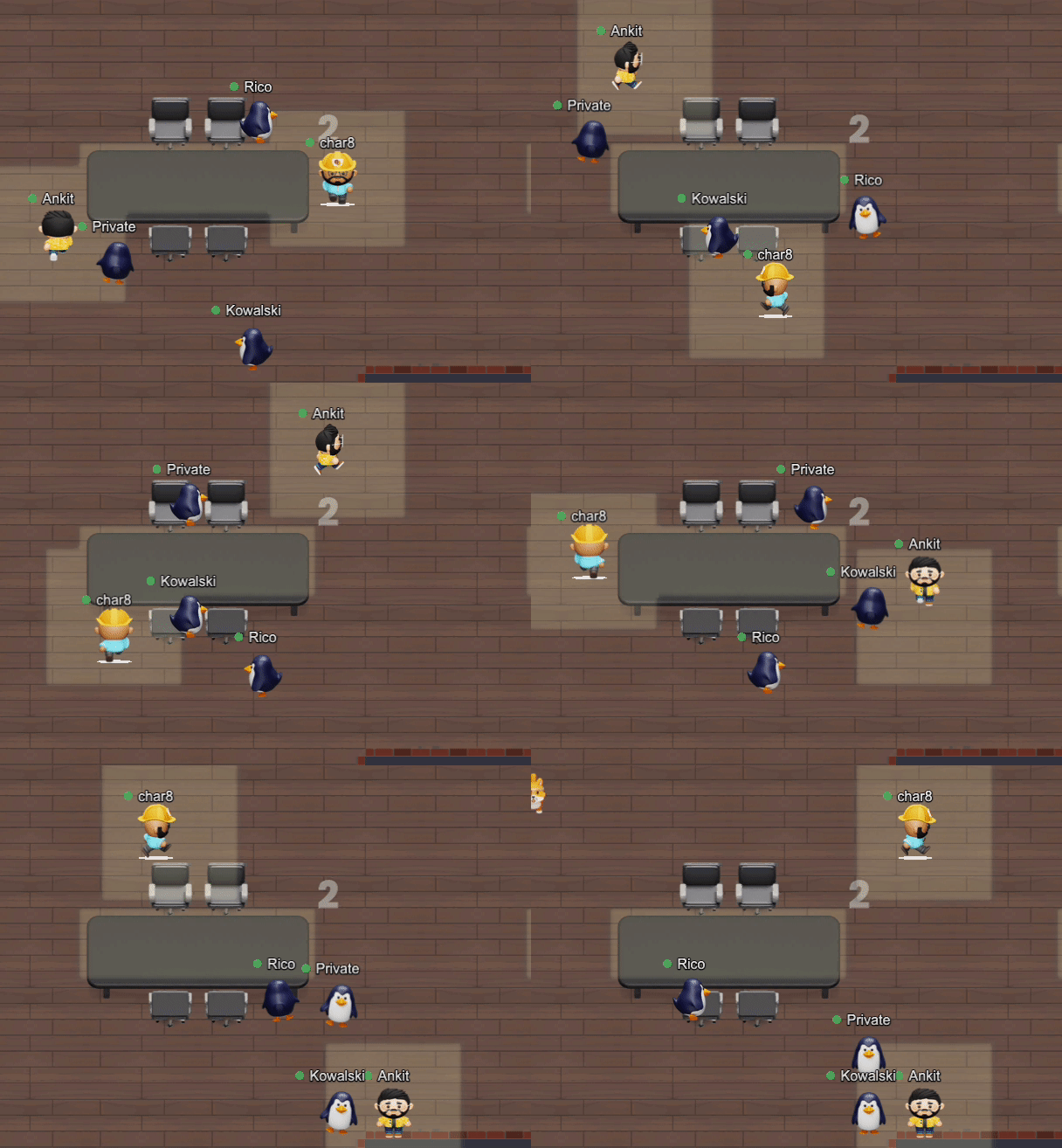
Have an adorable puppy, kitten, or penguin follow you around and show you 🧡

Cosmos Video spatial office with an adopted penguin pet following a user's avatar around the room

You can also pet or shoo your pet by clicking on them.

What would you want your pets to do for you?

Some customers want them to answer questions from the company wiki, and some users want their pets to give them life advice.

Please share your thoughts on our community feedback board.

March 11, 2022

Reactions on Cosmos

Express yourself through reactions

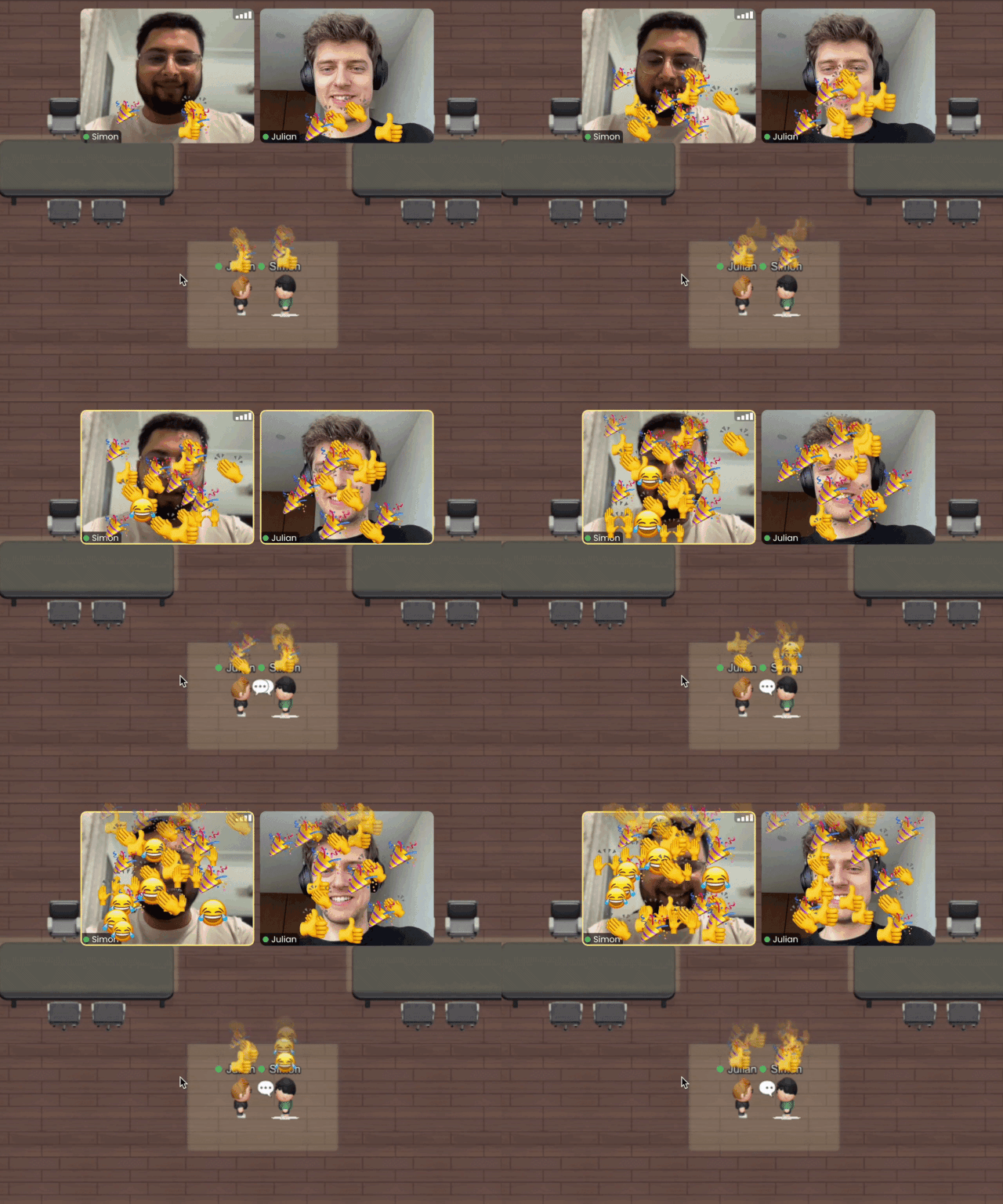
Show how you're feeling and bring vibrancy to your office 👏🎉🙌

Cosmos Video reactions tray letting users send emoji reactions during spatial office meetings

Users can react on Cosmos during meetings or conversations using the reactions in the toolbar or by using the number keys.

Cosmos Video number-key reaction shortcuts for sending emojis like clap, heart and party during calls
February 28, 2022

Run engaging meetings with Cosmos

In our quest to be the definitive communication tool for sync teams, we realised we need to be a great meetings tool as well. All recurring meetings on Cosmos help teams create visibility for others and a sense of belonging — people can have spontaneous conversations before and after the meetings.

We've evolved into the meetings tool that helps create visibility and a sense of belonging within remote teams.

Mobile and desktop apps

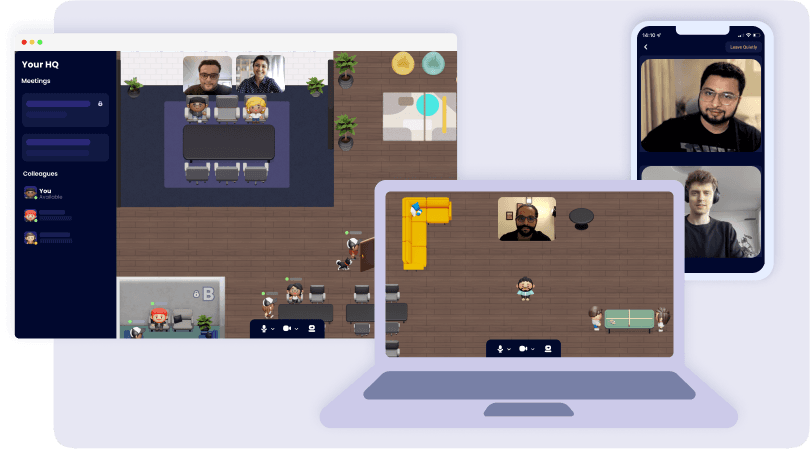
Cosmos Video mobile and desktop apps shown side by side for running engaging remote meetings

Better video quality

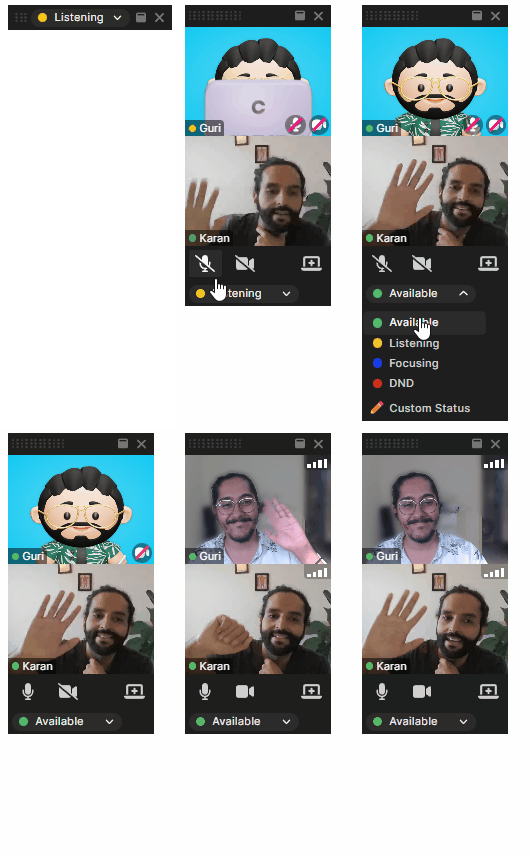
We support up to 80 people in a conversation and handle reconnects smoothly. We also have servers across the world to reduce latency. Gallery view now has 12, 24, or 36 videos per page. You can toggle this in video settings.

Cosmos Video high-quality gallery view showing a full team video call with crisp participant thumbnails

Ultra-clear screen share

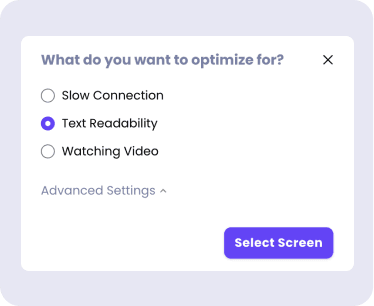
Screenshare can now be made full-screen and optimised for slow internet or text readability.

Cosmos Video screen share optimisation dialog for text readability, slow connections or video playback

Google Calendar integration

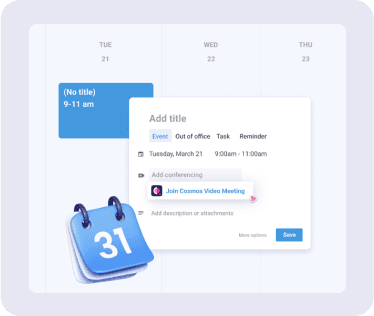
Set Cosmos as the default video-calling option for all meetings. Integrate Google Calendar with Cosmos from the settings in your Cosmos office.

Google Calendar event with a one-click Join Cosmos Video Meeting button added via the Cosmos integration

Meeting topics

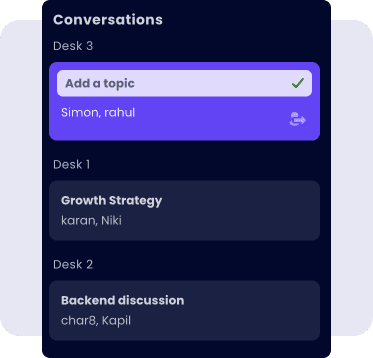
Set meeting topics in Cosmos to let others know what you are discussing and let them jump into the call with one click.

Cosmos Video Conversations panel with per-desk meeting topics so teams know what others are discussing

Slack integration

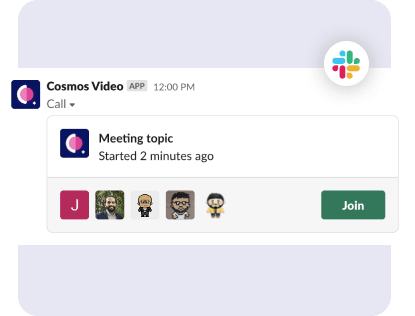
Get updates about what's happening in your Cosmos office directly in Slack. Install the Slack app from the settings in your Cosmos office.

Cosmos Video Slack notification showing a live meeting topic with a one-click Join button

Meeting recordings

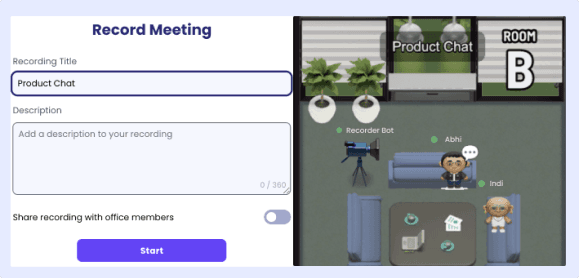
Record meetings and keep them private or share them with your teammates. To view a recording, head to the video inbox in the left sidebar of your Cosmos office.

January 31, 2022

Support for all hands, video messages and more

🤩 Cosmos now supports up to 70 people in a conversation

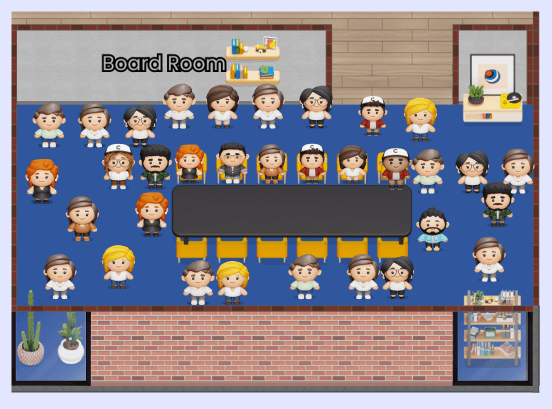
You can now converse with groups of up to 70 people and host up to 150 people in your Cosmos office.

Cosmos Video meeting room hosting up to 70 people in a single large spatial conversation

📮 Leave video messages for your teammates

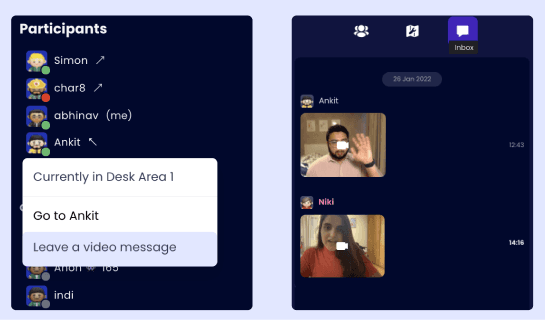
If a teammate you want to talk to is busy or offline, you can click on their name in the participant's tab and record a video message for them. They'll be able to access the message from their all-new Cosmos video inbox.

Cosmos Video participants panel with a Leave a video message option for offline teammates

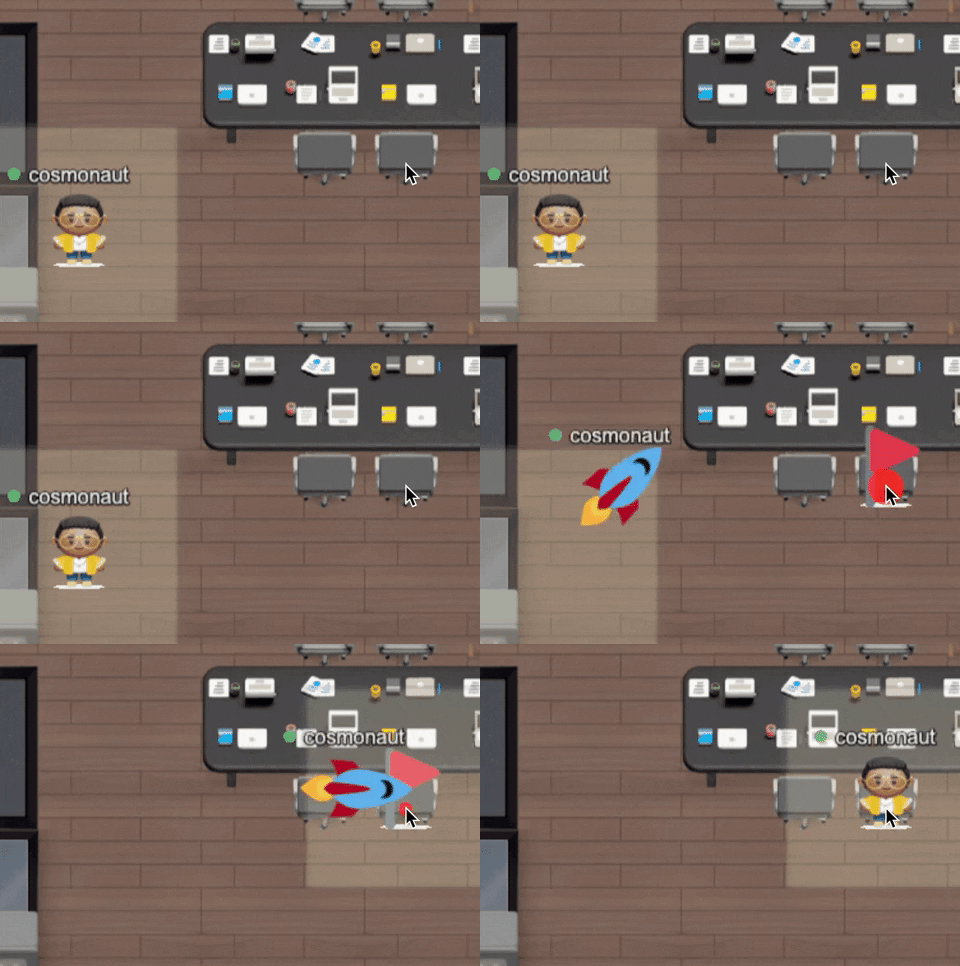
💨 Single click to move

Point your cursor to the place you want to move to, and just click to move there. You can also pan around the map using your mouse or trackpad to easily zoom in and out.

Cosmos Video single-click movement letting avatars navigate the spatial office with one click
November 12, 2021

Open apps and games within Cosmos

🌐 We've launched integrated apps

Walk up to any work table in Cosmos and press 'X' to access integrated apps. Collaborate with your teammates on the best apps for work: Google Docs, Miro, Figma and more. All from within Cosmos.

Cosmos Video integrated apps launcher opening Figma, Google Docs, Miro, Twitch and YouTube inside spaces

🤩 The Games Table is here

You no longer have to choose between pong or pictionary in your office. Walk up to a game table, and choose from one of the 15 games you'd like to play.

Cosmos Video Games Table featuring multiplayer titles like Tic-Tac-Toe, Cosmos Art and Brick Breaker

🤫 You can now whisper to someone

Hover your cursor over someone's video tile to whisper to them. You'll be in a one-to-one chat with them, and no one around you will be able to overhear.

October 28, 2021

Launching notifications on Chrome and Slack

Cosmos Video Chrome desktop notification showing a teammate arriving to start a conversation

You can now receive notifications from Cosmos on your browser or Slack.

On Slack

Set up a public channel to get a notification when someone enters your Cosmos office (only venue admins can set this up).

Cosmos Video Slack notifications in the hq channel showing teammates joining with Open Cosmos buttons

Invite colleagues who are offline to talk to you on Cosmos. They'll get a DM in Slack and can join with a single click.

Inviting an offline colleague to Cosmos Video via the Invite to Talk button in the Cosmos HQ sidebar

Get notified when teammates are trying to speak to you while you're in focus or away mode.

Cosmos Video focus mode prompt letting users message an offline teammate to join a conversation

On browsers

Get notified when someone joins your Cosmos office.

Cosmos Video Chrome browser notification alerting a user when a teammate enters the Cosmos HQ

Get a notification when someone wants to talk to you, and you're in focusing or away mode.

Cosmos Video Chrome focus-mode notification when a teammate tries to start a conversation

How to set up web and Slack notifications

Cosmos Video settings panel for enabling push notifications when someone joins the space
October 15, 2021

Celebrate Halloween on Cosmos: no tricks just treats

Cosmos Video Halloween themed office decoration banner with pumpkins, skeletons and ghosts

🎉 Use our Halloween map. Our template Halloween office is now available for you to plan your event. Invite your friends, hang out and play games on the day.

🧟 Bring a spooky vibe to your office

Add Halloween decorations to your venue using the edit venue option in the top left of your office.

Cosmos Video Halloween office decorations — pumpkin, bat, ghost, skeleton with hat and spooky tree

👻 Add axes, witch robes and even pumpkin hats to your avatar

You can customize your avatar from Wednesday next week by clicking the settings cog wheel inside Cosmos.

Cosmos Video Halloween avatar costume items including witch robes, grim reaper and pumpkin hats
Cosmos Video office decorated for Happy Halloween with pumpkins, ghosts and spider webs
July 29, 2021

Connect your Cosmos HQ to your Slack workspace

Cosmos Video loves Slack — connect your Cosmos HQ directly to your Slack workspace

Over the last few months, we've worked closely with 100+ teams using Cosmos as their virtual HQ and are excited to launch the most requested feature — Slack integration.

💥 Invite someone offline on Cosmos to chat by sending a Slack DM

Inviting an offline teammate to talk in Cosmos Video by sending a Slack direct message with a join link

🪄 Type "/cosmos" in Slack conversations to jump into your Cosmos HQ

Cosmos Video /cosmos Slack slash command letting teammates jump into the HQ from any Slack channel

👀 See someone's Cosmos status inside Slack — available, focusing, away

Cosmos Video availability status like available, focusing and away synced into the Slack sidebar

How to set it up

Head to the settings pane in Cosmos, and click 'Connect to Slack' 💫

Cosmos Video settings gear icon highlighted to show where to enable web and Slack notifications