Increase Productivity in Minutes: How the 'Shoulder Tap' Accelerates Collaboration
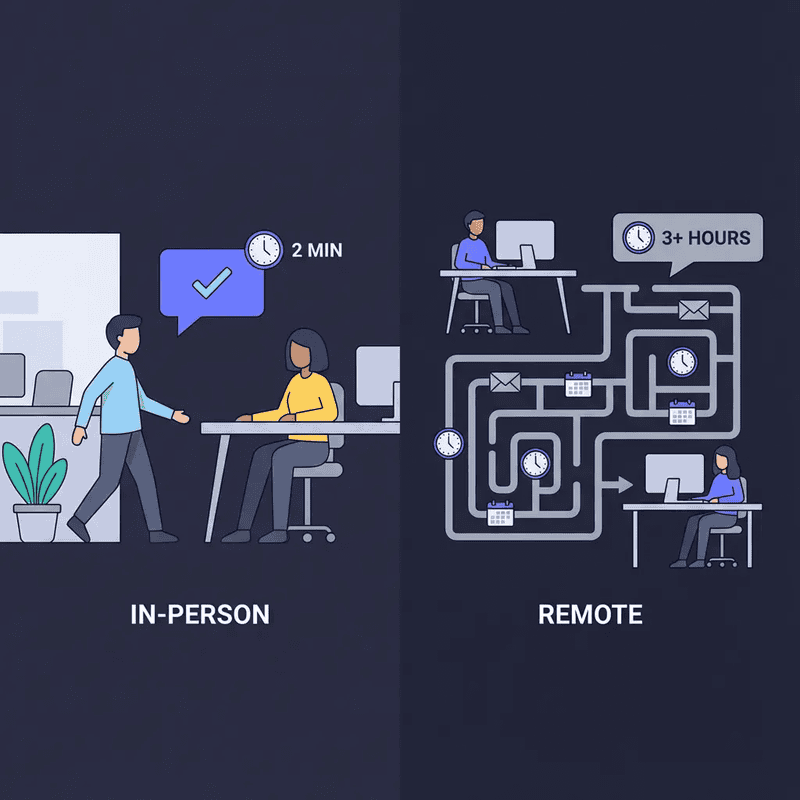
In the physical office, you'd walk over to a colleague's desk for a quick question.
"Hey Sarah, which font did we decide on for the client presentation?"
Two minutes. Problem solved. Back to work.
Now picture the same scenario remotely: you send a Slack message and wait. Sarah's in another meeting. You check back later—still no response. You send a follow-up. By the time you get an answer, three hours have passed, your momentum is gone, and you've context-switched five times.
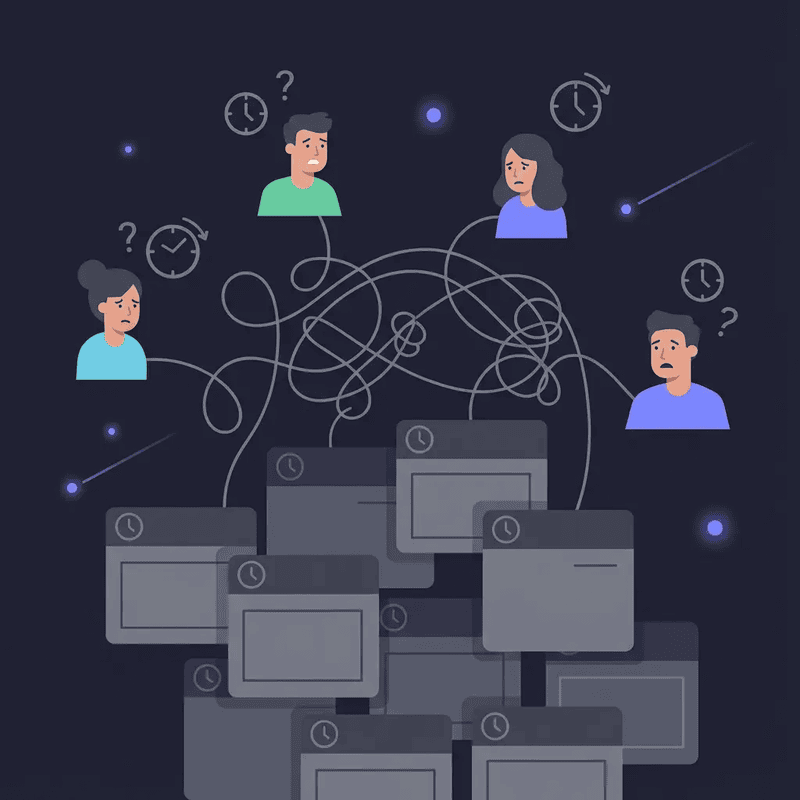
Welcome to coordination friction: the hidden productivity killer in remote work.
According to research from ProofHub, 40% of remote workers miss spontaneous, in-person connections with their teammates—those quick "shoulder tap" conversations that kept work flowing. The result? 64% of employees waste at least three hours a week due to collaboration inefficiencies, with 20% losing up to six hours.
That's not a communication problem. That's a structural problem with how remote work operates.
This article explores how coordination friction destroys productivity, why the "shoulder tap" matters more than you think, and how virtual office platforms recreate instant collaboration without the scheduling overhead.
The Hidden Cost of Coordination Friction
What Is Coordination Friction?
Coordination friction is the time and mental energy spent arranging collaboration instead of actually collaborating.
In an office, you see who's available. You walk over. You talk. Immediate feedback, instant clarity, problem solved in minutes.
In remote work, that same interaction requires:
Sending a message ("Can we talk?")
Waiting for a response (minutes to hours)
Scheduling availability ("I'm free at 2pm")
Sending a Zoom link
Waiting for the meeting
Finally having the conversation
What took 2 minutes in the office now takes 2 hours—or even 2 days.
The Numbers Don't Lie
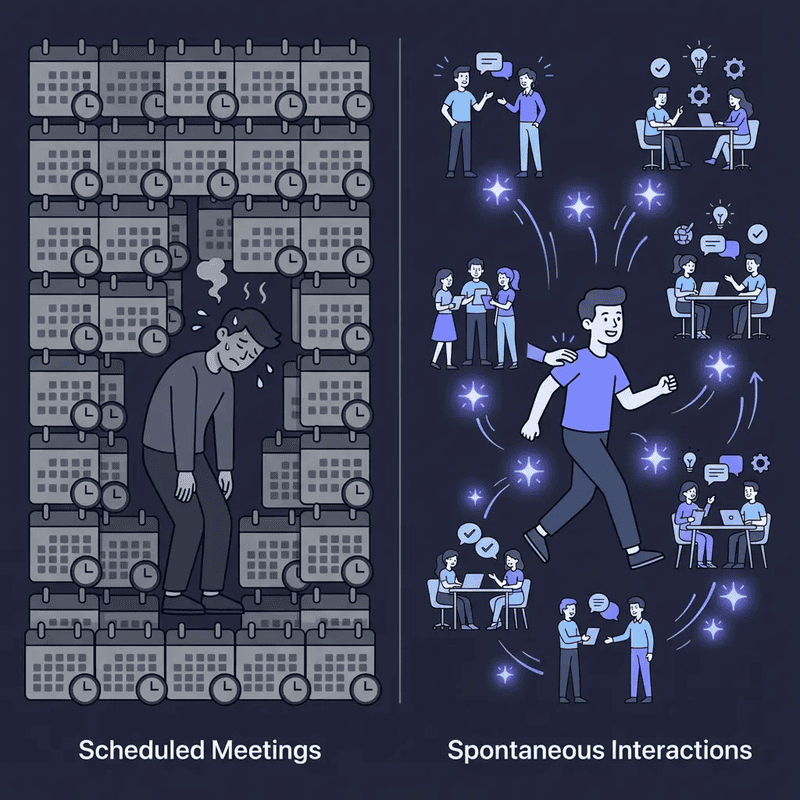
43% of workers spend 3+ hours per week just scheduling meetings—not attending them, just coordinating when they'll happen.
The workforce wastes 24 billion hours per year in unproductive meetings, costing organisations $37 billion annually.
But here's the real killer: unnecessary or ineffective meetings waste $25,000 annually per employee. For organisations with 5,000+ employees, that's $101 million a year lost to coordination overhead.
This isn't a small inconvenience. It's a systemic productivity crisis.
Why Async Communication Isn't the Answer
Async-first workflows were meant to solve this. Write detailed messages, reduce meeting overload, give people focus time.
But async creates its own problems.
When quick decisions are needed, asynchronous delays slow progress. If team members are spread across time zones and no one's available to respond, deliverables get impeded, people get confused, and valuable time gets consumed.
The lack of immediacy means simple clarifications turn into multi-day email chains. A question that deserves a 30-second answer instead generates five Slack messages, two follow-ups, and mounting frustration.
Async is brilliant for documentation and deep work. But it's terrible for "quick questions" that need quick answers.
What We Lost: The Productivity Power of the "Shoulder Tap"
The Office Shoulder Tap, Explained
The "shoulder tap" isn't about literally tapping someone on the shoulder. It's about frictionless, instant access to teammates when you need them.
In a physical office:
You see who's at their desk
You gauge if they're busy or available
You walk over and ask your question
They answer immediately
You both return to work
No scheduling. No waiting. No coordination tax.
It's collaboration at the speed of thought, not the speed of calendar availability.
Why It Worked So Well
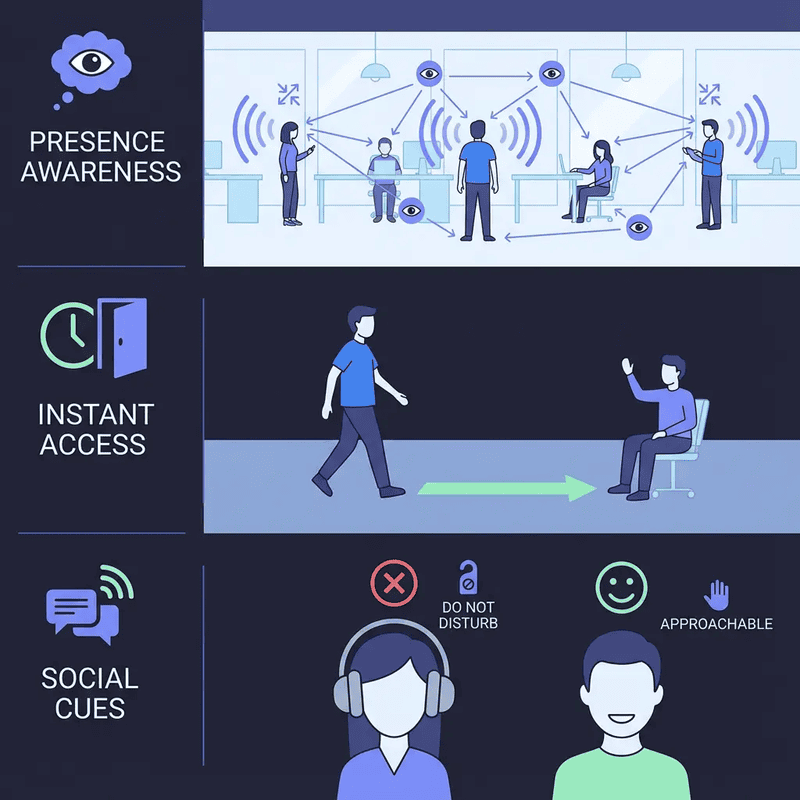
The shoulder tap worked because of three elements remote work destroyed:
1. Presence Awareness
You could see teammates. You knew who was in the office, who was on a call, who was heads-down working. This visibility eliminated guesswork.
2. Instant Access
When someone was available, you could reach them immediately—no links, no scheduling, no "jumping on a quick call."
3. Social Cues
You could tell if someone was approachable. Headphones on = focus mode. Chatting with a colleague = interruptible. Staring intensely at their screen = probably not the time.
Remote work stripped all three away. Now you're sending blind messages into the void, hoping for a reply, with no idea if the person is available, busy, or even online.
The Productivity Impact
Effective communication leads to a 72% increase in productivity amongst business leaders, according to 2024 research.
More specifically, improving internal communication can boost organisational productivity by up to 25%.
Why? Because 73% of employees do better work when they collaborate, and 60% are more innovative in a team environment.
But collaboration requires momentum. When feedback takes hours or days instead of minutes, momentum dies.
The shoulder tap preserved momentum. Remote work coordination friction kills it.
How Coordination Friction Kills Feedback Cycles
The Feedback Loop Problem
Consider a designer working on a client presentation. In the office, they'd walk to their manager's desk:
Designer: "Quick question—should this headline be bold or regular weight?"
Manager: "Bold. Matches the brand guidelines we discussed."
Designer: "Perfect, thanks."
Total time: 90 seconds.
Now the remote version:
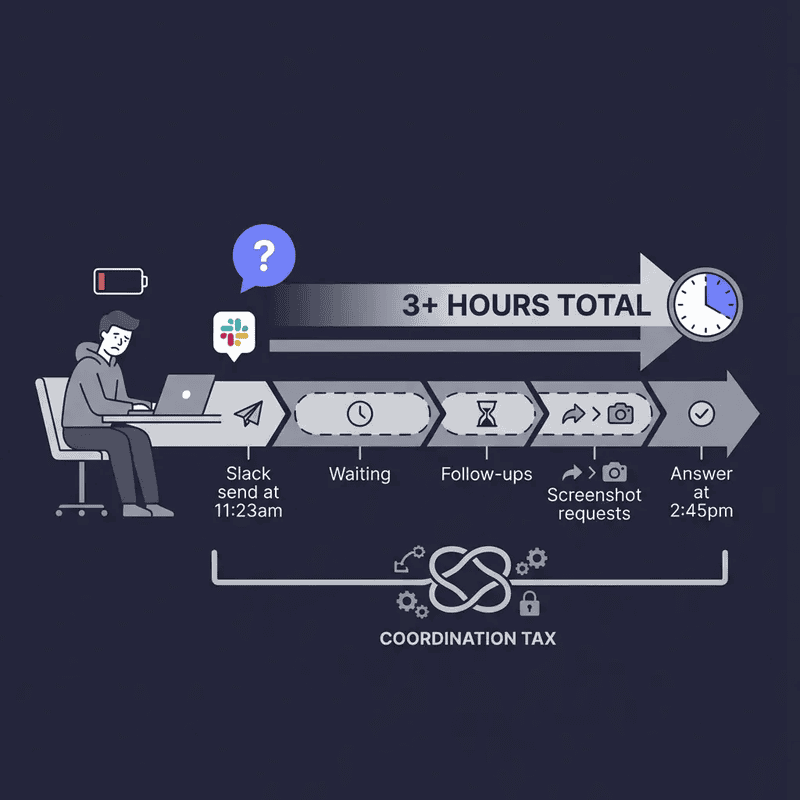
11:23am - Designer sends Slack message: "Hey, quick question about the presentation headline—bold or regular?"
11:47am - Manager sees notification during another meeting, can't respond yet
1:15pm - Manager finally replies: "Can you send a screenshot?"
1:43pm - Designer uploads screenshot
2:30pm - Manager responds: "Bold—matches brand guidelines"
2:45pm - Designer sees response, makes change
Total time: 3+ hours.
That's not just lost time. It's context switching, broken focus, and momentum destroyed.
The Compounding Effect
Now multiply that by every small decision:
Which version should we use?
Did the client approve this change?
Can I get your input before submitting?
Is this approach aligned with what you wanted?
Each question becomes a mini project. Each answer requires scheduling or waiting. Each delay fragments your day further.
But most teams don't have real-time feedback—they have multi-hour delays disguised as "asynchronous collaboration."
When Feedback Delays Cost More Than Time
At Frontier, a production team, feedback delays weren't just annoying—they were blocking revenue.
"Our team was drowning in back-to-back Zoom calls, spending more time scheduling meetings than actually collaborating," said Mike Williams, Production Manager. "We tried Slack for quick questions, but the back-and-forth took forever and people felt anxious about reply times."
When they couldn't get instant feedback, projects stalled. Team members either made assumptions (and had to redo work later) or waited for answers (and sat idle, unproductive).
After switching to Cosmos, where teammates could instantly "walk over" for feedback: "Our employee NPS increased by 20%. It helped create a stronger sense of belonging, and we use it daily for meetings, review sessions, and weekly all-hands."
The difference? Instant feedback access, not scheduled feedback sessions.
Read the full Frontier case study here.
The Solution: Recreating the Shoulder Tap Digitally
What Virtual Offices Do Differently
Virtual office platforms don't replace Zoom or Slack. They replace the office environment—the persistent space where teammates exist together, visible and accessible.
Instead of:
Sending a message → Waiting for reply → Scheduling call → Joining Zoom
You get:
See who's available → Walk over → Start talking
It's the shoulder tap, digitally recreated.
How It Works
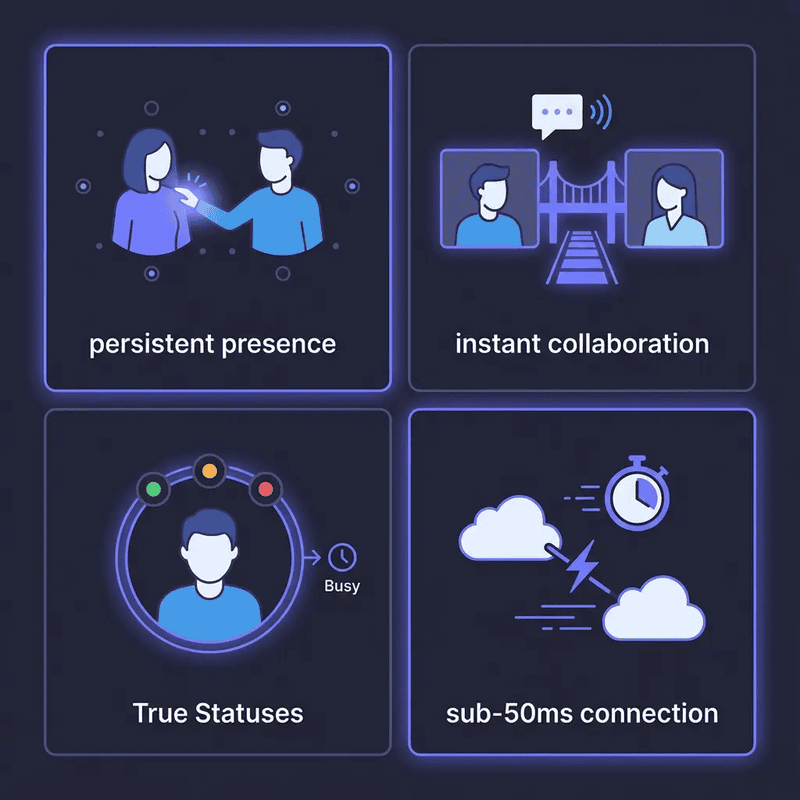
1. Persistent Presence
Your avatar exists in a digital space during work hours. Teammates can see you're "at your desk," in a meeting, or focusing—just like they could in a physical office.
2. Instant Collaboration with Personal Rooms
Each person has a personal space. When you need to talk, you walk to their room. Audio and video connect instantly—no links, no "let me start the call," no friction.
3. True Statuses Replace Guesswork
Instead of Slack's meaningless green dot, you see real availability:
Available = ready to talk
Listening = can hear if you approach, will respond if needed
Focus = deep work mode, don't interrupt unless urgent
Away = not at desk
You know if someone's interruptible before you approach, just like you could in the office.
4. Sub-50ms Connection
Traditional video calls take 30+ seconds to start: click link, wait for browser, join meeting, unmute, "can you hear me?"
Virtual offices connect instantly. Walk close to someone, audio starts. That's it. The "shoulder tap" happens at the speed of walking, not the speed of scheduling.
The Productivity Gains
Cosmos customers report:
60 quick interactions daily in 30-person teams
45 minutes saved per employee per day by eliminating coordination overhead
40% reduction in scheduled meetings because quick questions no longer require scheduling
But the biggest gain? Momentum preservation.
"We go through crunch times much faster compared to back-and-forth messaging," said Keama from Reconciled, a 60-person accounting firm. "For people who need community and quick support, Cosmos is a game-changer."
When feedback takes seconds instead of hours, work flows. When you can ask questions the moment they arise, context stays intact. When collaboration doesn't require scheduling, productivity soars.
Practical Implementation: Bringing Back the Shoulder Tap
Step 1: Audit Your Coordination Tax
Before changing tools, understand the problem.
Track for one week:
How much time you spend scheduling meetings vs. attending them
How many Slack messages are "quick questions" that turn into long threads
How often you're blocked waiting for feedback or decisions
How many times you context-switch between tasks whilst waiting for replies
43% of workers spend 3+ hours weekly scheduling. You're probably in that group.
Quantify the problem, then you'll understand the opportunity cost.
Step 2: Identify "Shoulder Tap Moments"
Not everything needs instant collaboration. Deep work should stay protected. Strategic planning deserves scheduled time.
But these deserve instant access:
Quick clarifications ("Which version did we choose?")
Fast approvals ("Can I send this to the client?")
Directional input ("Am I on the right track?")
Technical blockers ("This API isn't working—can you look?")
Creative feedback ("Does this design feel right?")
These are high-frequency, low-complexity interactions that used to take 2 minutes. Remote coordination turned them into 2-hour delays.
Make a list. These are your shoulder tap opportunities.
Step 3: Set Up a Virtual Office with Clear Norms
Choose a virtual office platform that enables:
Persistent presence (see who's online)
Instant audio/video connection (no links or scheduling)
Status indicators (respect focus time)
Personal and meeting spaces (structured + spontaneous)
Then establish team norms:
Availability Windows
Not everyone needs to be "in the office" 8 hours a day. Set core collaboration hours (e.g., 10am-3pm) when the team is present and accessible for shoulder taps. Outside those hours, async is fine.
Status Respect
If someone's in Focus mode, don't interrupt unless urgent. Focus Rooms allow silent co-working for accountability without interruption.
Two-Minute Rule
If a conversation will take under 2 minutes, shoulder tap it. If it needs more than 10 minutes, schedule it. This keeps quick questions instant whilst protecting time for deep discussions.
Async for Documentation, Sync for Decisions
Use Slack/email for updates, documentation, and non-urgent info. Use the virtual office for decisions, feedback, and anything that benefits from real-time dialogue.
Step 4: Model the Behaviour
Leaders set the tone.
If managers are "always busy" and unreachable, teams will revert to scheduling everything. If leaders are visibly present and approachable during core hours, teams will embrace instant collaboration.
At Frontier, the shift happened when leadership used Cosmos daily: "We use it for meetings, review sessions, and weekly all-hands. It created a stronger sense of belonging."
Be the person who walks over. Answer shoulder taps quickly. Show the team that instant collaboration is valued, not intrusive.
Step 5: Measure the Impact
Track the same metrics you audited in Step 1:
Time spent scheduling (should decrease significantly)
Slack threads for quick questions (should drop as they move to shoulder taps)
Time blocked waiting for feedback (should approach zero)
Context-switching frequency (should reduce)
Also measure qualitative shifts:
Do decisions happen faster?
Do people feel less isolated?
Is team morale improving?
Are feedback cycles accelerating?
At Frontier, employee NPS increased 20%. At Reconciled, crunch times became "much faster." These aren't just efficiency gains—they're culture wins.
Addressing Common Objections
"Won't This Create Constant Interruptions?"
Only if you ignore status signals.
The office shoulder tap worked because of social cues: headphones on, focused expression, closed door. You respected those signals.
Virtual offices have digital equivalents. True Statuses tell teammates:
Available = interrupt me, I'm here to help
Listening = I'm working but can respond if needed
Focus = deep work, don't disturb
Away = not at desk
Respect Focus mode the way you'd respect a closed office door. Problem solved.
"Our Team Is Global—How Does This Work Across Time Zones?"
You're right: instant collaboration requires overlap.
That's why you define core collaboration hours—a window where most of the team is online together. Outside those hours, async communication dominates.
Global teams often set 3-4 hour overlap windows (e.g., 2pm-5pm GMT) where shoulder taps happen. The rest of the day is async-first.
This hybrid approach works because not everything needs instant access—just the high-frequency, low-complexity questions that used to take 2 minutes in the office.
"We Already Have Slack and Zoom—Why Add Another Tool?"
You're not adding a tool. You're replacing a gap.
Slack is for async updates. Zoom is for scheduled meetings. Neither handles instant, informal collaboration.
That's the gap. That's where coordination friction lives.
Virtual offices don't replace Slack or Zoom—they replace the office environment where teammates exist together and can reach each other instantly. Many teams use all three: Slack for updates, Zoom for formal meetings, Cosmos for the in-between moments.
The question isn't "Why another tool?" It's "Why are we paying £25,000 per employee annually in coordination waste?"
"What If People Don't Want to Be 'Always On'?"
They don't have to be.
Virtual offices aren't surveillance tools. You control your presence. Set your status to Away when you're not available. Close the app when you're done for the day. Take breaks without broadcasting your location.
The goal isn't "always on"—it's "present when needed." Just like the physical office: you're there during work hours, accessible during collaboration windows, and gone when the day ends.
At Reconciled, Keama noted: "Everyone being available in our Cosmos space created a real sense of community." The key word? Available, not monitored.
The Bigger Picture: Rethinking Remote Collaboration
The Problem Wasn't Remote Work
Remote work didn't fail. First-generation remote tools failed.
We tried to make distributed work function using:
Chat apps designed for notifications, not conversation
Video conferencing built for formal meetings, not quick check-ins
Email optimised for documentation, not real-time collaboration
None of these tools were designed to replace the spontaneous, informal, instant collaboration that made offices productive.
We digitised meetings and messages. We forgot to digitise the space between them—the hallway conversations, the desk check-ins, the "got a sec?" moments.
That's the gap virtual offices fill.
From Tool Overload to Workflow Clarity
Tool fatigue is real. But the solution isn't fewer tools—it's clearer workflows.
Async updates and documentation → Slack, email
Scheduled meetings and formal presentations → Zoom, Teams
Instant collaboration and quick questions → Virtual office
Each tool serves a purpose. The problem is when we force tools into roles they weren't designed for—like using Slack for real-time brainstorming or scheduling Zoom calls for 2-minute questions.
Match the tool to the task. Shoulder tap moments belong in virtual offices, not Slack threads.
The Culture Shift
Here's what research shows about workplace communication in 2024-2025:
40% of remote workers miss spontaneous, in-person connections
86% believe ineffective collaboration is a major reason for workplace failures
Employee engagement declined to 21% in 2024, costing the global economy $438 billion
The problem isn't skills or motivation. It's structural isolation created by coordination friction.
When collaboration requires scheduling, people collaborate less. When questions take hours to answer, people stop asking. When feedback loops span days, innovation slows.
The shoulder tap wasn't just about speed. It was about connection—the feeling that your teammates are there, reachable, and ready to help.
Virtual offices recreate that feeling. And when people feel connected, engagement rises, productivity increases, and teams deliver better work.
Conclusion: Minutes Matter
A 2-minute question shouldn't take 2 hours to answer.
That's not an acceptable tradeoff for remote work flexibility. It's a structural failure we've normalised because "that's just how remote work is."
It doesn't have to be.
The office shoulder tap worked because it eliminated coordination friction. You saw who was available. You walked over. You talked. Problem solved in minutes, momentum preserved, work continued.
Remote work destroyed that. Scheduling friction, async delays, and coordination overhead replaced instant access with multi-hour waits. The result? 24 billion hours wasted annually, $101 million per company lost, and 64% of employees losing 3+ hours weekly.
Virtual office platforms recreate the shoulder tap digitally: instant access, persistent presence, and frictionless collaboration. No scheduling. No waiting. Just the speed of thought.
The teams that embrace this—like Frontier (20% NPS increase) and Reconciled (crunch times "much faster")—aren't just more productive. They're more connected, more engaged, and more innovative.
Because when feedback takes seconds instead of hours, work flows. When quick questions get quick answers, momentum survives. When you can walk over digitally, collaboration becomes natural again.
Minutes matter. Don't let coordination friction steal them.
Start Increasing Productivity Today
Ready to bring back the shoulder tap and eliminate coordination friction?
Try Cosmos free – no credit card required, live in 5 minutes. Experience instant collaboration, 96kbps audio quality, and the feeling of working with your team, not just near them.
Explore case studies to see how teams like Frontier and Reconciled transformed productivity by replacing scheduling friction with instant access.
Compare virtual office solutions to find the platform that fits your team's size, workflow, and collaboration style.
The shoulder tap isn't dead. It's just been waiting for the right tool.
Comments
Your comment has been submitted