June Update: Video experiences, public channels & more
We are building out two streams for Cosmos to be the best digital place for people to come together, work and learn:
- Video experiences: Our strong suit keeps getting better. Now, we have new and improved video experiences: map view, gallery of videos, pinning with HD quality video.
- Channels and Chat: We aim to ensure all your messaging needs are met inside Cosmos without going anywhere else.
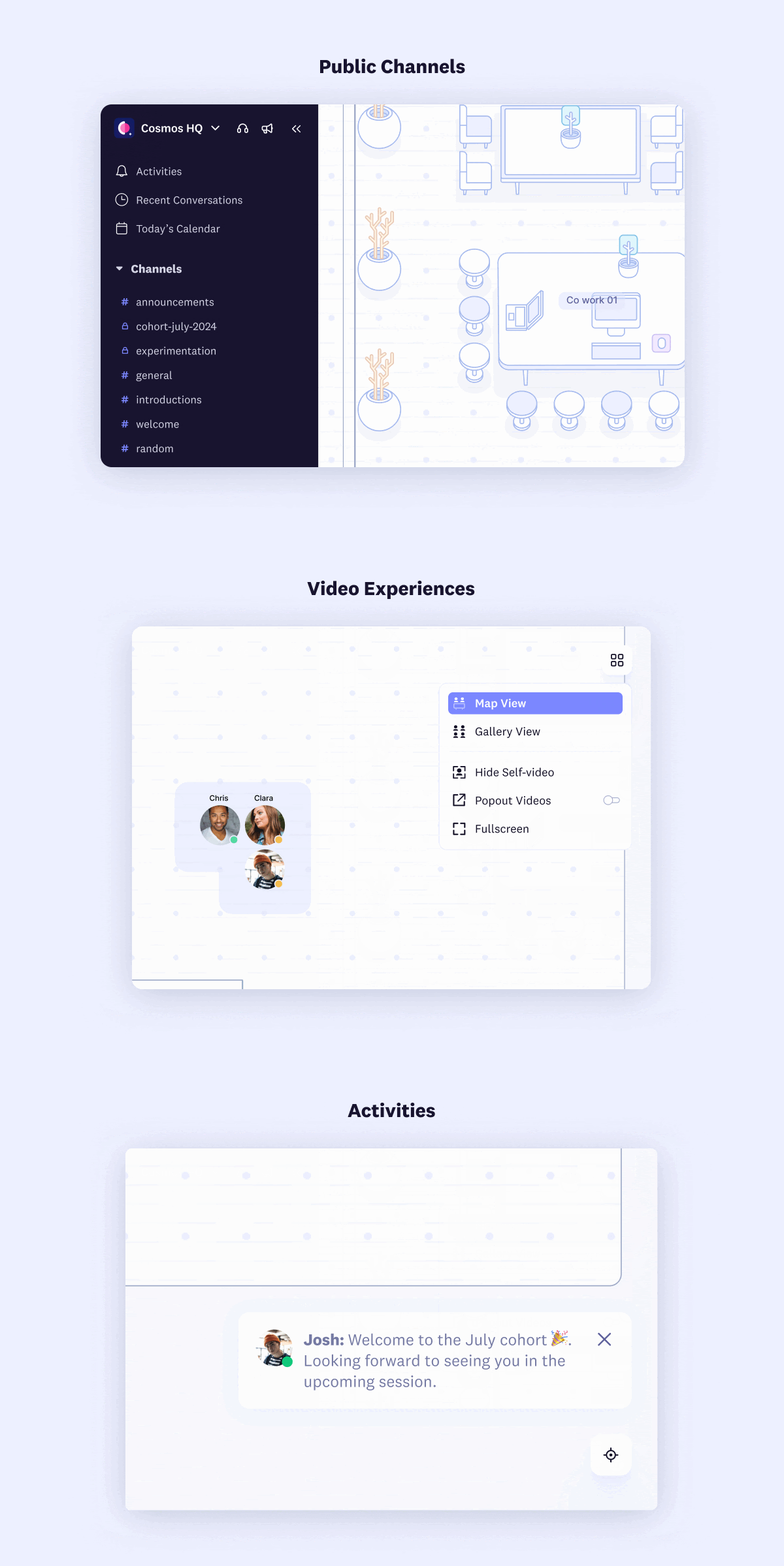
Let's dive deeper into the features now available to all Cosmos users.
🎥 Video Experiences: Different video experiences to suit everyone's needs, with default call quality at 720p.
- View switcher: One place to switch between different video experiences
- Map View: See videos in a floating layout over the map.
- Gallery View: See videos in a grid with the ability to pin a video or screenshare, which supports up to 36 videos on a page.
- Video settings:
- Popout: See up to 4 videos in a popout that stays on top of other apps with the Cosmos desktop app.
- Fullscreen: Focus entirely on the video and screen share.
- Hide Self Video: Hide your video if it's distracting.
💬 Public Channels: To level the playing field for communication within space. Messages sent to public channels reach everyone: admins, members, and guests. They are perfect for announcements, space-wide discussions, introductions, and welcomes.
🔔 Activities: Notifications now show in the bottom right of Cosmos along with a ding sound. Notifications are listed in the activities tab of the sidebar to keep you in the loop.
Comments
Your comment has been submitted